
- Support for all resource types and API versions: Bicep immediately supports all preview and GA versions for Azure services. As soon as a resource provider introduces new resource types and API versions, you can use them in your Bicep file. You don't need to wait for tools to be updated before using the new services.
- Simple syntax: When compared to the equivalent JSON template, Bicep files are more concise and easier to read. Bicep doesn't require prior knowledge of programming languages. Bicep syntax is declarative and specifies which resources and resource properties you want to deploy.The following examples show the difference between a Bicep file and the equivalent JSON template. Both examples deploy a storage account:
BicepCopy
Code: Select all
param location string = resourceGroup().location
param storageAccountName string = 'toylaunch${uniqueString(resourceGroup().id)}'

resource storageAccount 'Microsoft.Storage/storageAccounts@2023-05-01' = {
  name: storageAccountName
  location: location
  sku: {
    name: 'Standard_LRS'
  }
  kind: 'StorageV2'
  properties: {
    accessTier: 'Hot'
  }
}
- Authoring experience: When you use the Bicep Extension for VS Code to create your Bicep files, you get a first-class authoring experience. The editor provides rich type safety, IntelliSense, and syntax validation.
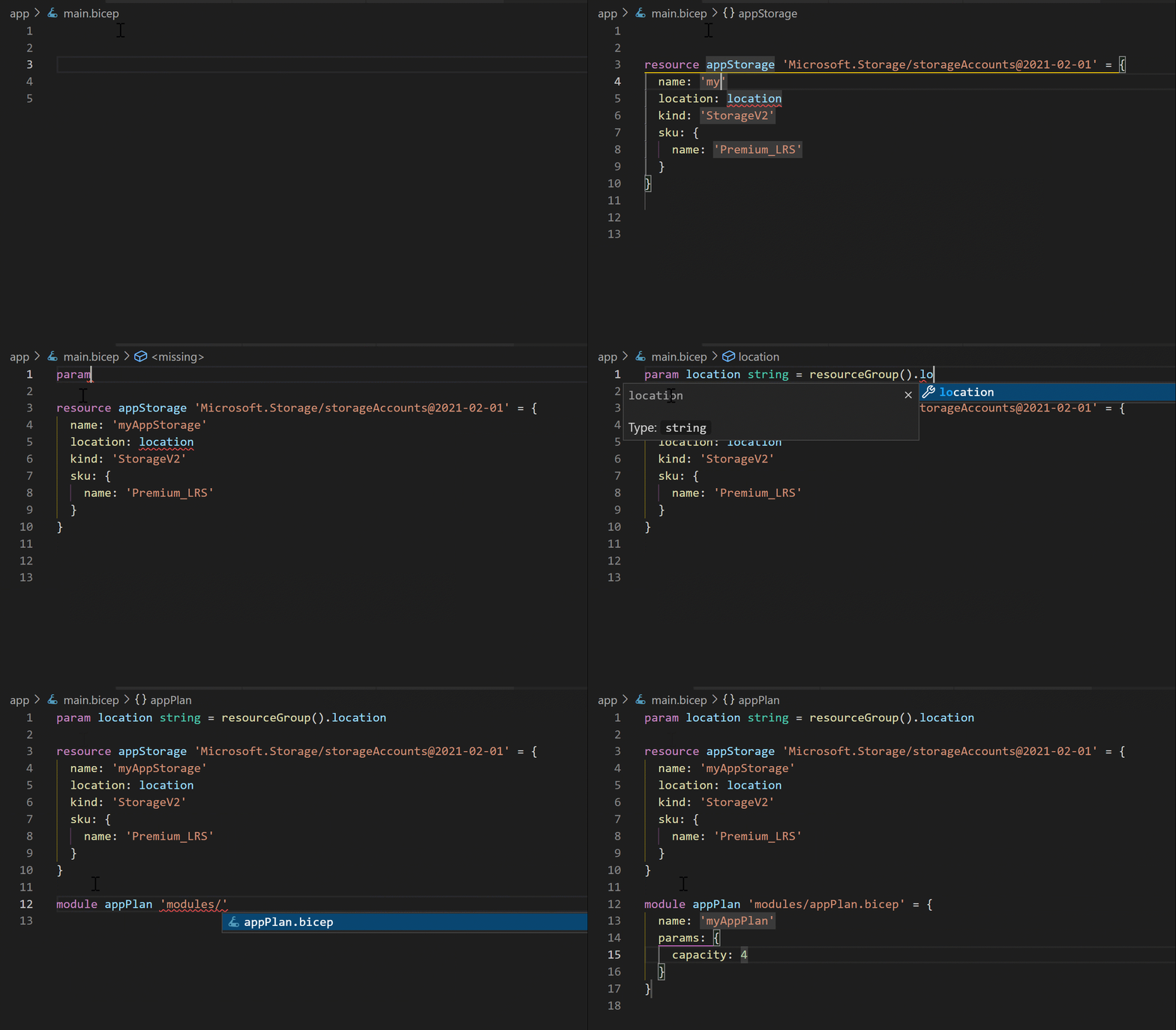 You can also create Bicep files in Visual Studio with the Bicep extension for Visual Studio.